
Hack The Box - Tactics
A walkthrough of the Hack The Box 'Tactics' machine, from initial foothold to the final flag.

Hi everyone, welcome to my "Tactics" walkthrough.
Before moving on, I strongly encourage you to try to solve the challenges yourself at HackTheBox before looking at any of the answers.
TASK 1
Which Nmap switch can we use to enumerate machines when our packets are otherwise blocked by the Windows firewall?
A simple google search helped me find out about the -Pn flag.
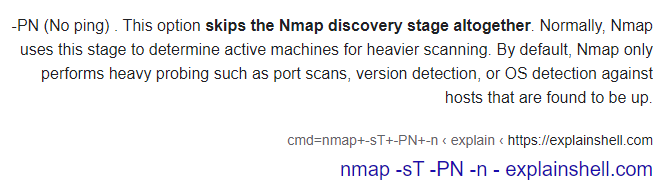
Answer: -Pn
TASK 2
What does the 3-letter acronym SMB stand for?
Answer: Server Message Block
TASK 3
What port does SMB use to operate at?
Again, by using google, we learn that SMB uses two different ports, but on modern servers, it will probably be 445
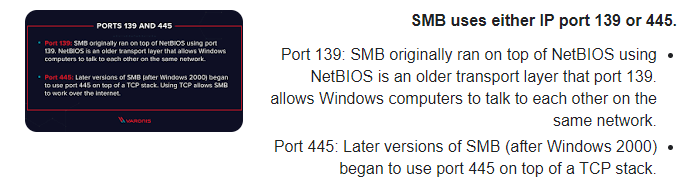
Answer: 445
TASK 4
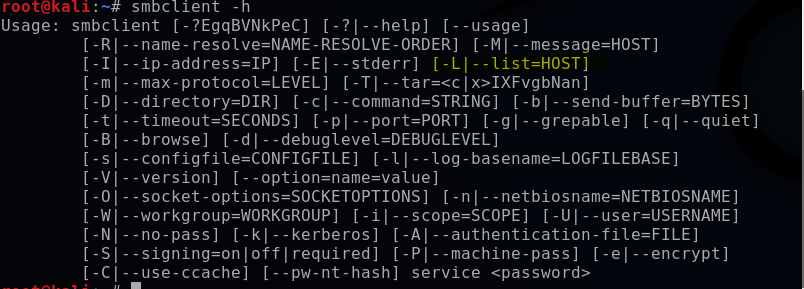
What command line argument do you give to `smbclient` to list available shares?
By using the command "smbclient -h" I can see that the flag to list available shares is "-L"
TASK 5
What character at the end of a share name indicates it's an administrative share?
After we list the directories, we can see that the answer is "$."

Answer: $
TASK 6
Which Administrative share is accessible on the box that allows users to view the whole file system?
The answer is the previous screenshot's second directory.
Answer: C$
TASK 7
What command can we use to download the files we find on the SMB Share?
Answer: get
TASK 8
Which tool that is part of the Impacket collection can be used to get an interactive shell on the system?
Again, by using google, I found this tool.
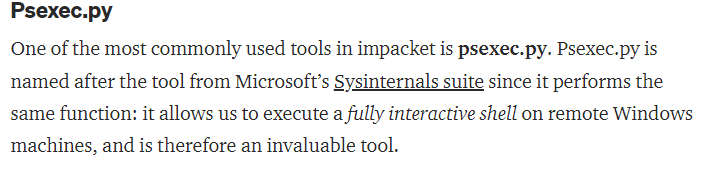
Answer: psexec.py
SUBMIT FLAG
I started by running this command.
"smbclient \\\\IPADDRESS\\C$ -U Administrator"
to get inside the "C" directory as it was not password protected,
then I navigated to Users > Administrator > Desktop.
And there was the flag!

Answer: f751c19eda8f61ce81827e6930a1f40c
Conclusion
This wasn't the most challenging room on HTB, but it is a good practice for beginners in dealing with SMB shares, so overall, it's not too bad.
I hope you all enjoyed this CTF